Sandeep
Human
I set priorities, agree scope and keep the consequential decisions.
My setup
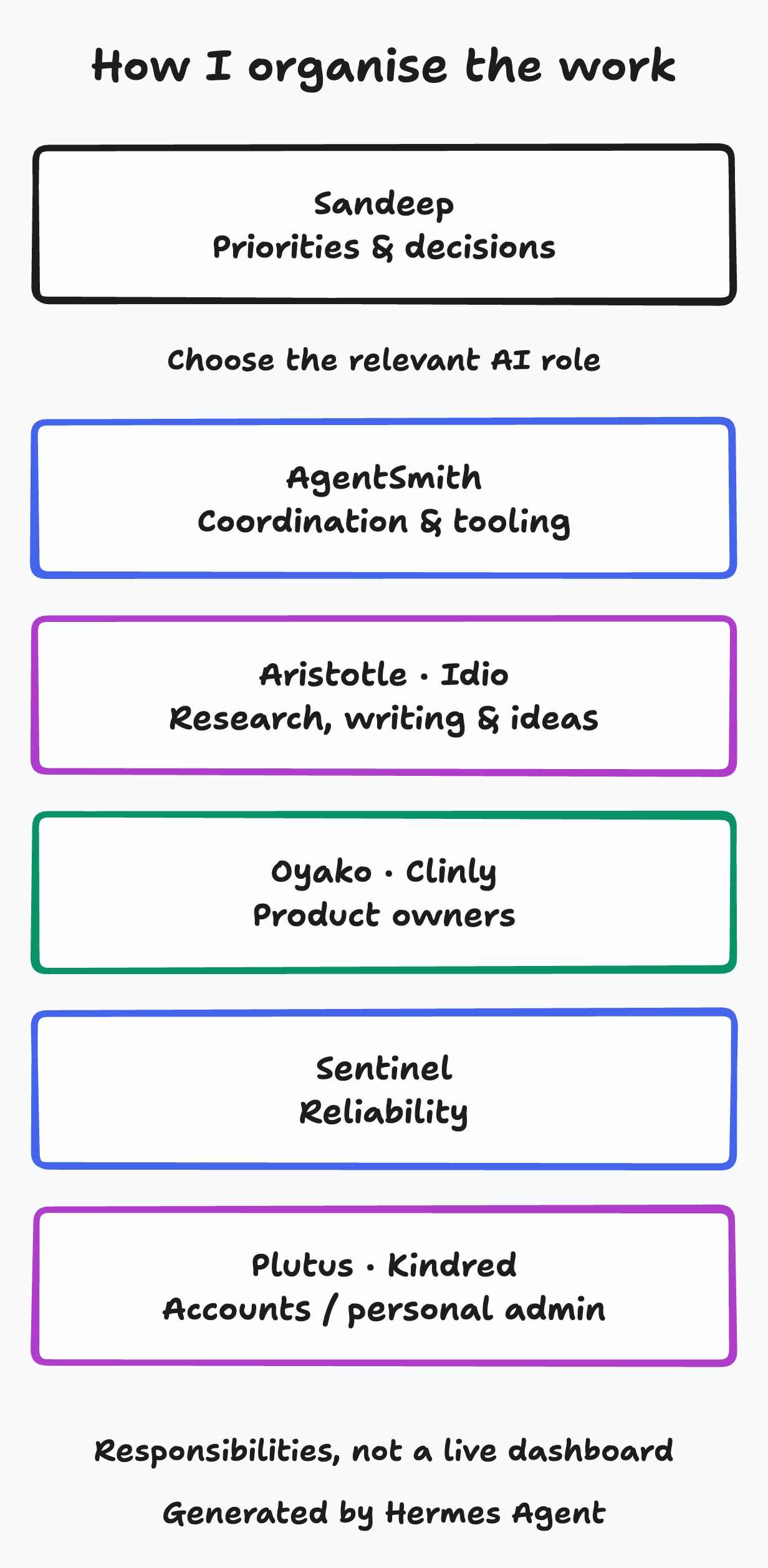
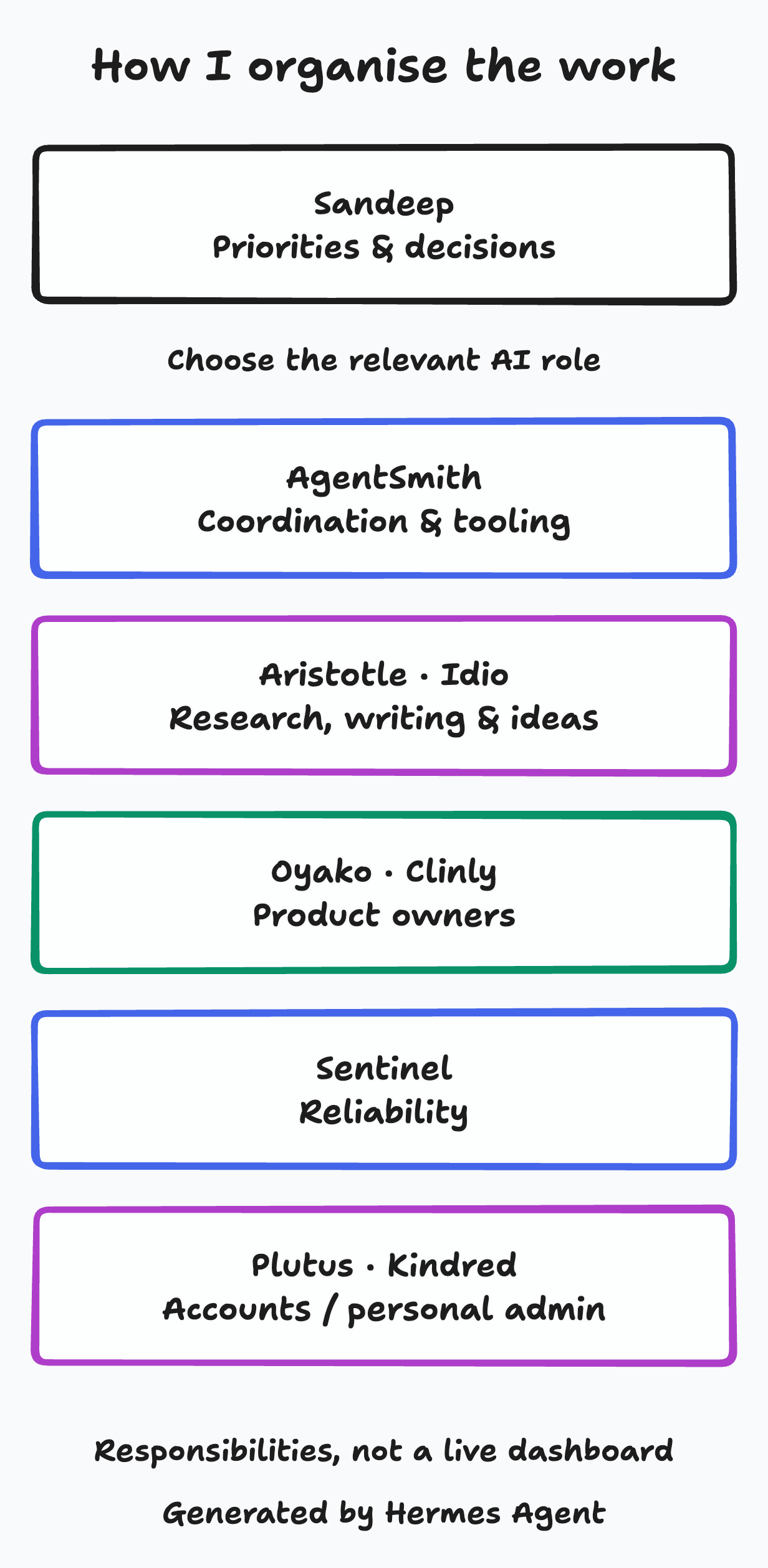
I organise the work around responsibilities. Research, product delivery, accounts preparation and personal admin need different context and different limits. Named AI roles give me a clear place to take a request. I set the priorities and keep the decisions that carry consequences.
This is how I put agentic engineering into practice: give the work an owner, preserve useful context and ask for evidence before acting on a result.
I am the human in this map. The other names describe AI roles and their responsibilities, not employees. Each gives me a place to take a particular kind of work.
Human
I set priorities, agree scope and keep the consequential decisions.
Chief-of-staff assistant for cross-project priorities, escalation and shared tooling.
Research, teaching and editorial work: turning evidence into lessons and drafts.
Examines ideas and evidence, then develops bounded proposals.
Reliability, monitoring and bounded recovery.
AI accounts preparation and deadline tracking.
Personal administration, separate from company work.
Oyako · pre-launch
Direct product owner, with separate implementation and independent QA/review around the work.
Clinly · in development
Direct product owner, with separate implementation and independent QA/review around the work.
I can go to the product owners directly. AgentSmith handles cross-project priorities and shared issues, without being an intermediary for every product request.
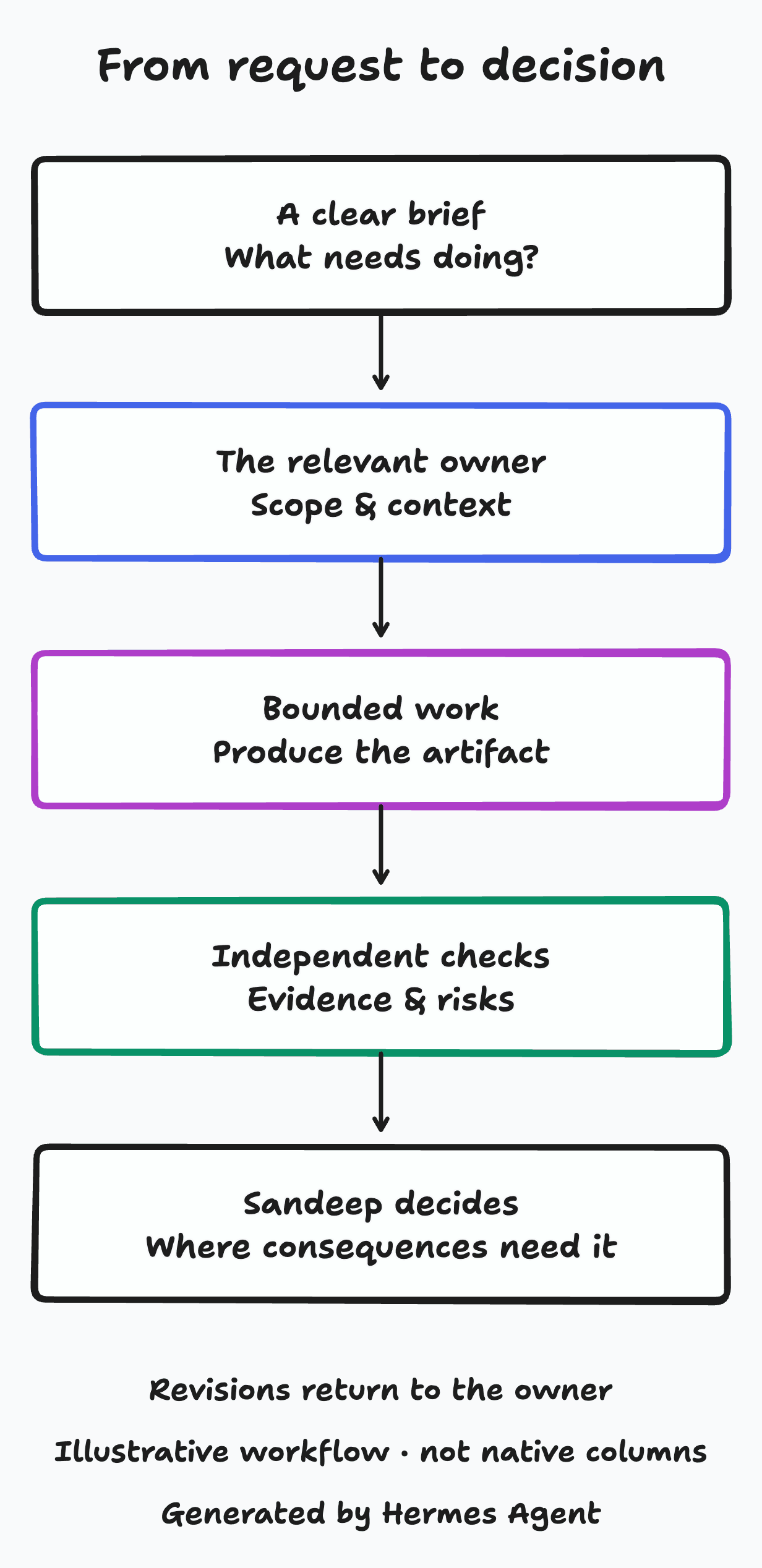
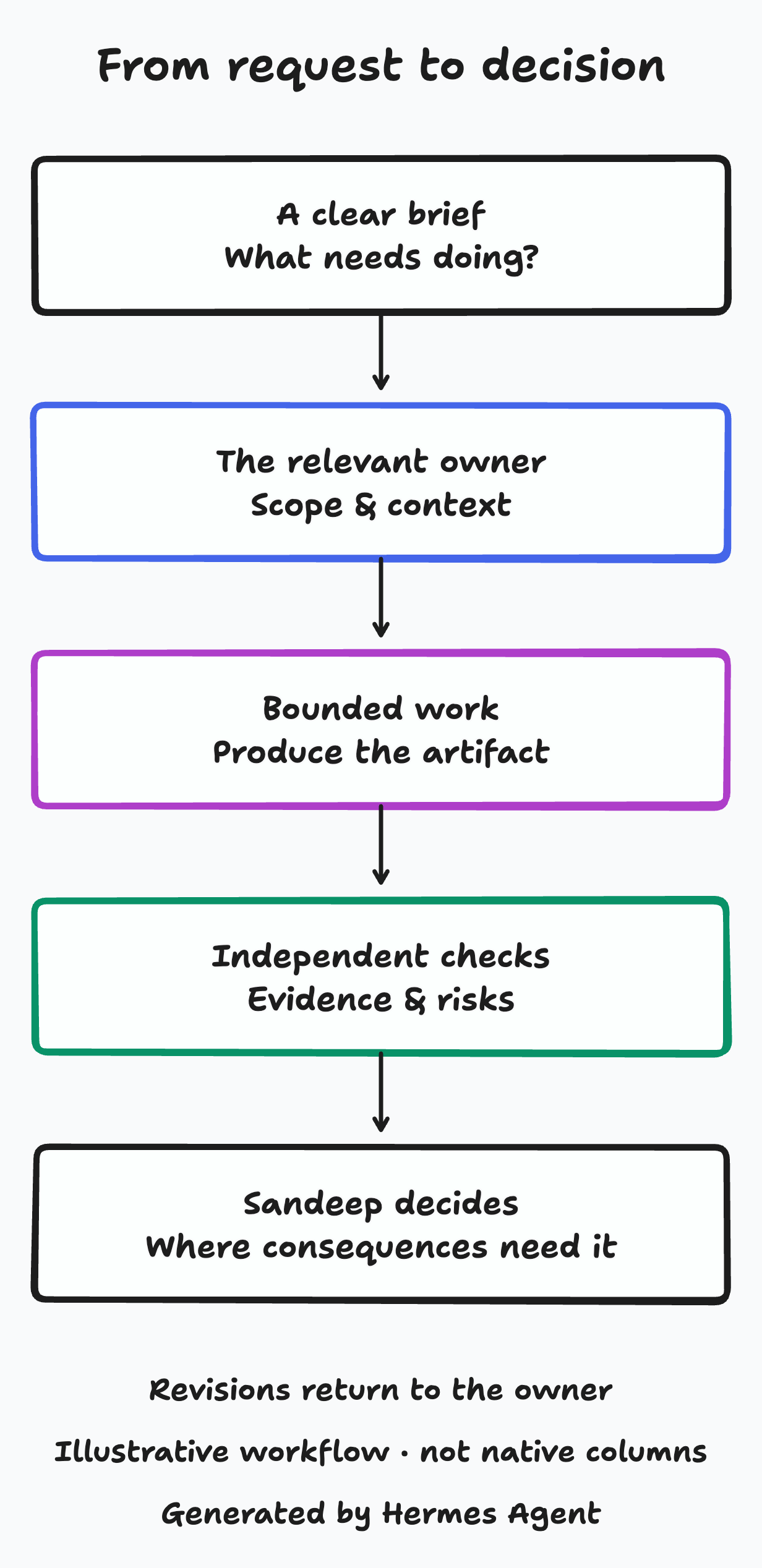
I describe what needs doing, why it matters and what a useful result would look like. The brief gives the work a purpose and a limit.
The owner takes the relevant context and agrees the scope. A product request goes to its product owner; shared issues go to the role responsible for them.
The result is an artifact I can inspect: a draft, proposal, prepared record or software candidate. Owners delegate implementation when I have requested it.
Checks record what was tested, what passed and what remains uncertain. Independent QA and review challenge the work; the author does not approve their own candidate.
I assess the exact work and its consequences before authorising the next action. If it needs revisions, they return to the owner with the reason.
The Jev comparison and its linked report show how evidence and its limitations can become readable content. Publication is a separate decision. The value of the record is being able to see what was checked and what the result does not establish.
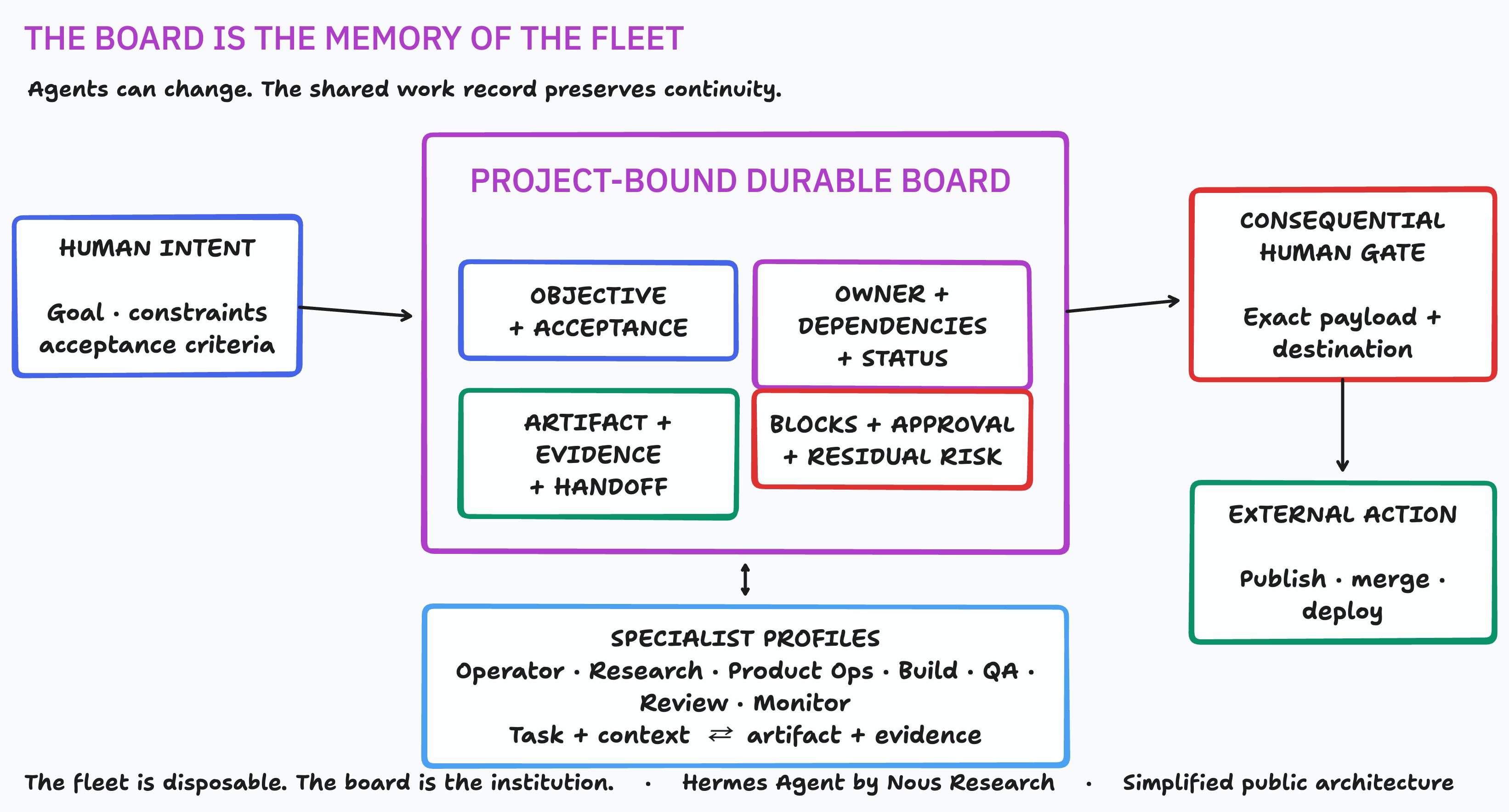
Projects carry the relevant workspace and product context. A chosen native task board keeps ownership, objectives, dependencies, artifacts, checks and decisions together. Not every Project needs a board. Each handoff makes the task and workspace binding explicit.
Native task records hold status, assignee, comments, events and workspaces. Descriptions, comments and attachments can carry evidence, risks and approvals, so the next person can understand the work without reconstructing a conversation.
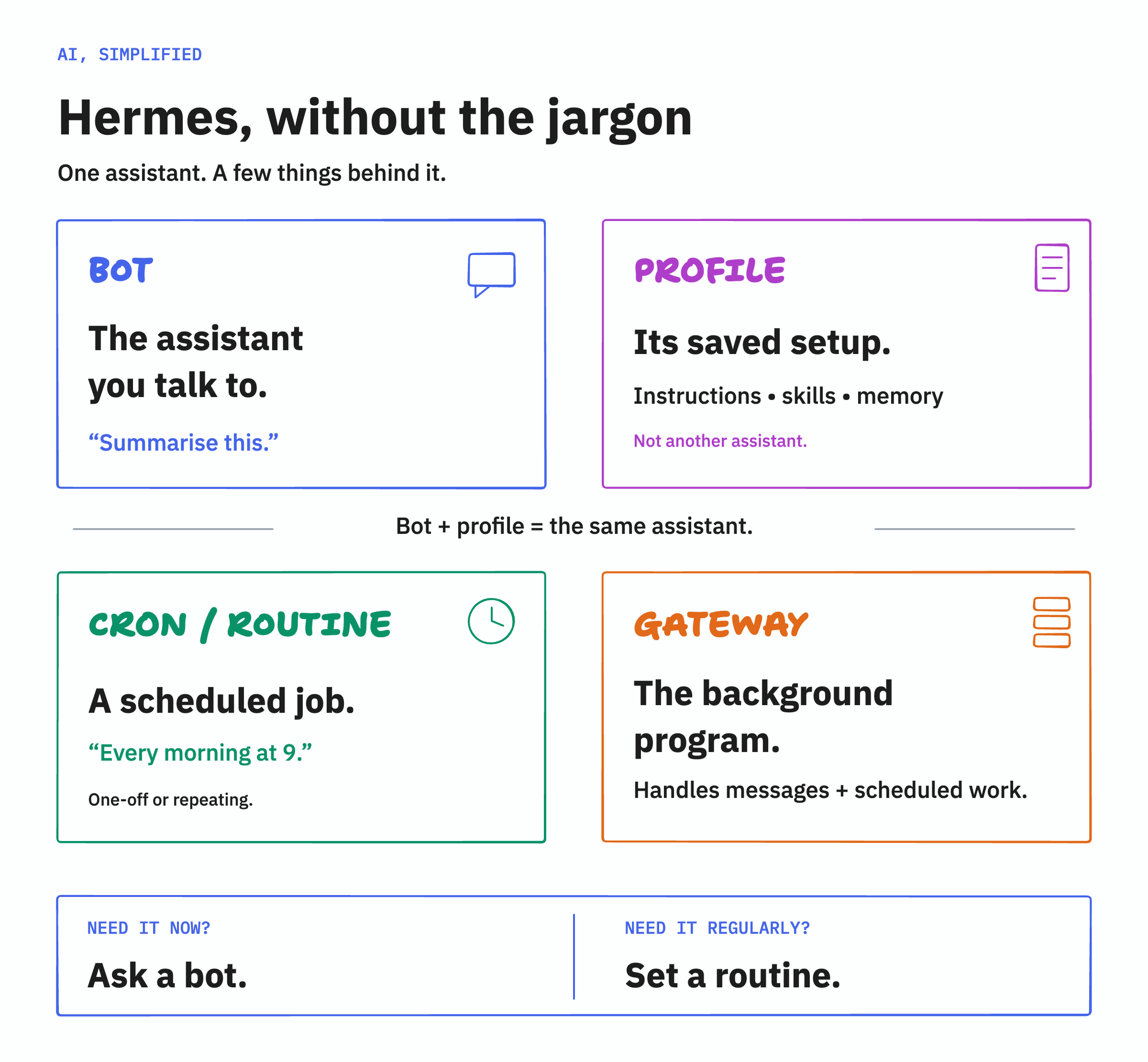
A bot is a named assistant interface. Its profile holds the saved role, configuration, instructions, skills and memory; it is not a second assistant.
Skills keep reusable procedures. Memory and notes keep reusable context, but they can be wrong or stale. I treat them as context to check against the task and its evidence, rather than a guarantee that the next answer will be right.
I use Hermes Agent a lot when I want agents to work on a task.
Hermes supports the ongoing role and work context as the agent runtime. Telegram and Desktop are conversation surfaces. Mothership is my organising view over native Hermes work, with no separate database, scheduler or workflow runtime.
I often use Claude Code and Codex directly when I want to test something more deeply.
I use them for deeper engineering and testing alongside the ongoing role work. The relevant project context, scope and check results still need to travel with the task.
Preparation is not authority to publish, deploy, send, file, pay or delete. Human permission must be explicit and checked against the exact work and action. A completed task or a passing check cannot supply that permission.
Plutus is an AI accounts assistant, not a licensed accountant or adviser, or an autonomous filer. Filing, signing and payment decisions remain mine. An Idio proposal is not permission to build. Sentinel’s reliability role does not cover all upgrades or guarantee uptime.
Roles and Projects are organising boundaries, not security sandboxes. I handle access and permissions separately. The role map is not a live dashboard or a runtime guarantee.
I keep private personal and company records out of public explanations. What I share here is the structure of the work; any real example needs its own privacy review before sharing.
My earlier detailed write-ups of Mothership and Code Factory retain their dated evidence and limits. They offer technical background, not proof of current fleet health.
Open the full-size Hermes explainer for the relationship between a bot and its profile, a cron (a routine scheduled job) and the gateway for background message work. This earlier social-post illustration is not a live screenshot or a claim that it was published.
Open the full-size work-board diagram for a closer look at the work record. Its evidence, approval and residual risk boxes describe information to keep, not universal dedicated native columns or runtime evidence.